





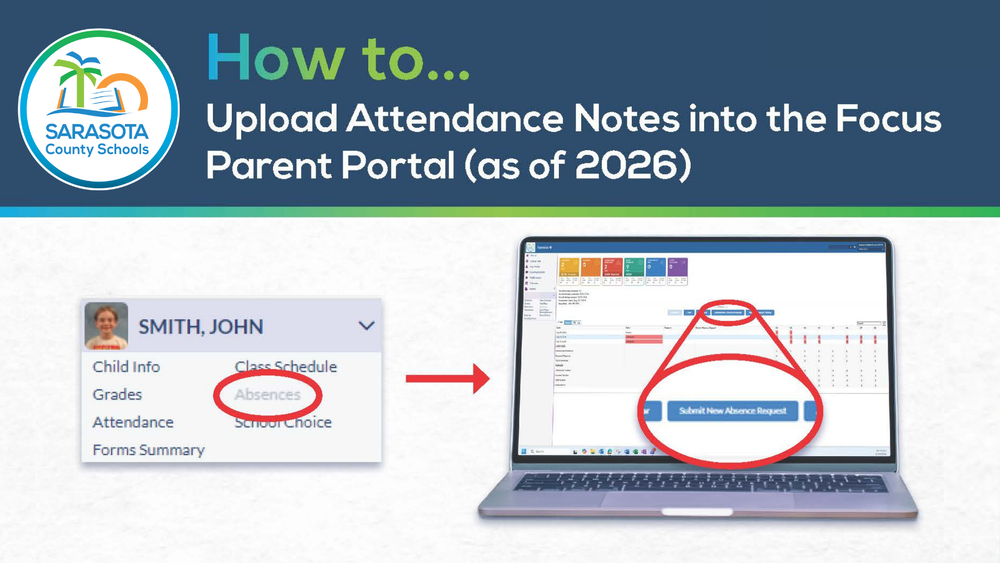
Sarasota County Schools has released updated instructions to help parents and guardians submit attendance notes through the Focus Parent Portal.
After logging in, families can view a student’s unexcused absences through the Alerts box or the Absences section of the student’s drop-down menu. From there, select “Submit New Absence Request” and complete the required form.
Supporting documentation is no longer required when submitting an attendance note. However, families may still scan, upload, or take a photo of documentation and attach it to the request if needed.
Families can monitor a submission by selecting “Absence Request History.” Requests will initially appear as pending. Once reviewed by the school’s front office, the request will be approved or denied. If approved, the attendance code will change to excused. If denied, families can review the denial notes and submit a new request with the required information.
View the updated step-by-step guide HERE. For additional assistance, please contact the attendance clerk at your student’s school.